
An intuitive AI toolkit that builds custom kids’ learning games in minutes.
You want kids excited about math, reading, science, and more—but time and tech skills can get in the way. That’s the problem AI Kids Learning Game Builder solves. It turns your lesson goals into ready-to-play games without code. In this AI Kids Learning Game Builder Review, I share how fast I built standards-aligned games for different ages, what worked, what didn’t, and whether it’s worth your money if you teach, tutor, or homeschool.

What is AI Kids Learning Game Builder?
AI Kids Learning Game Builder is a no-code, AI-powered platform that creates age-appropriate learning games from simple prompts. You describe your topic, grade, and objective. The tool drafts a playable game with questions, hints, visuals, audio, and scoring. It aims to save time for teachers, parents, and creators by turning lessons into engaging, gamified experiences kids can play on the web or tablet.
My Personal Experience & In-Depth Walkthrough:
For the last 48 hours, I tested AI Kids Learning Game Builder with three real lessons: Grade 2 addition, Grade 4 reading comprehension, and Kindergarten phonics. I wanted to see if it could produce games I’d feel good assigning to kids.
I signed up, opened a new project, and typed a short prompt: “Grade 2 math, add within 100, focus on regrouping.” The builder suggested a template (multiple-choice with hints), objectives, and a difficulty slider. I loved how it surfaced learning goals right away. That alignment is a big win.
Next, I clicked “Generate.” In about 30 seconds, I had a draft game with 12 problems, kid-friendly language, and instant feedback. That speed is a huge pro. I swapped in a drag-and-drop template to test variety. It kept the same questions but made the format tactile. That flexibility made iteration fast.
I added a visual style from its asset suggestions. The AI art was cute and classroom-safe, which matters. Voice prompts were a nice touch for early readers. On the flip side, one phonics game felt a bit generic in its story line. The core learning was right, but the narrative hook was simple, which is a con if you want very custom tales.
I then edited three questions by hand. The editor is drag-and-drop simple, so I changed numbers, added a scaffolded hint, and tagged problems by skill (regrouping vs. not). The tagging helped me scan coverage fast. I shared the game via a link and opened it on an iPad. It loaded cleanly, but when I requested higher-res art, the asset generation took a minute longer than I liked. Not a deal breaker, but something to note on slower networks.
Finally, I checked the analytics after a short playtest. The dashboard flagged most-missed questions and average time per item. That is a strong feature for real classroom feedback. I do wish the base plan allowed CSV export of results; it looks like deeper reporting sits on higher tiers, which is a limitation if you rely on spreadsheets.
Overall, the promise in this AI Kids Learning Game Builder Review held up. It gets you from idea to playable game in minutes. It shines for speed, age alignment, and easy edits. Expect to add your personal flavor if you want richer stories and advanced exports.

What Makes It Stand Out / Key Features
- AI lesson-to-game generator: Turn a topic and goal into a playable game fast.
- Curriculum-aware objectives: Tag by skill, grade, or standard for clarity.
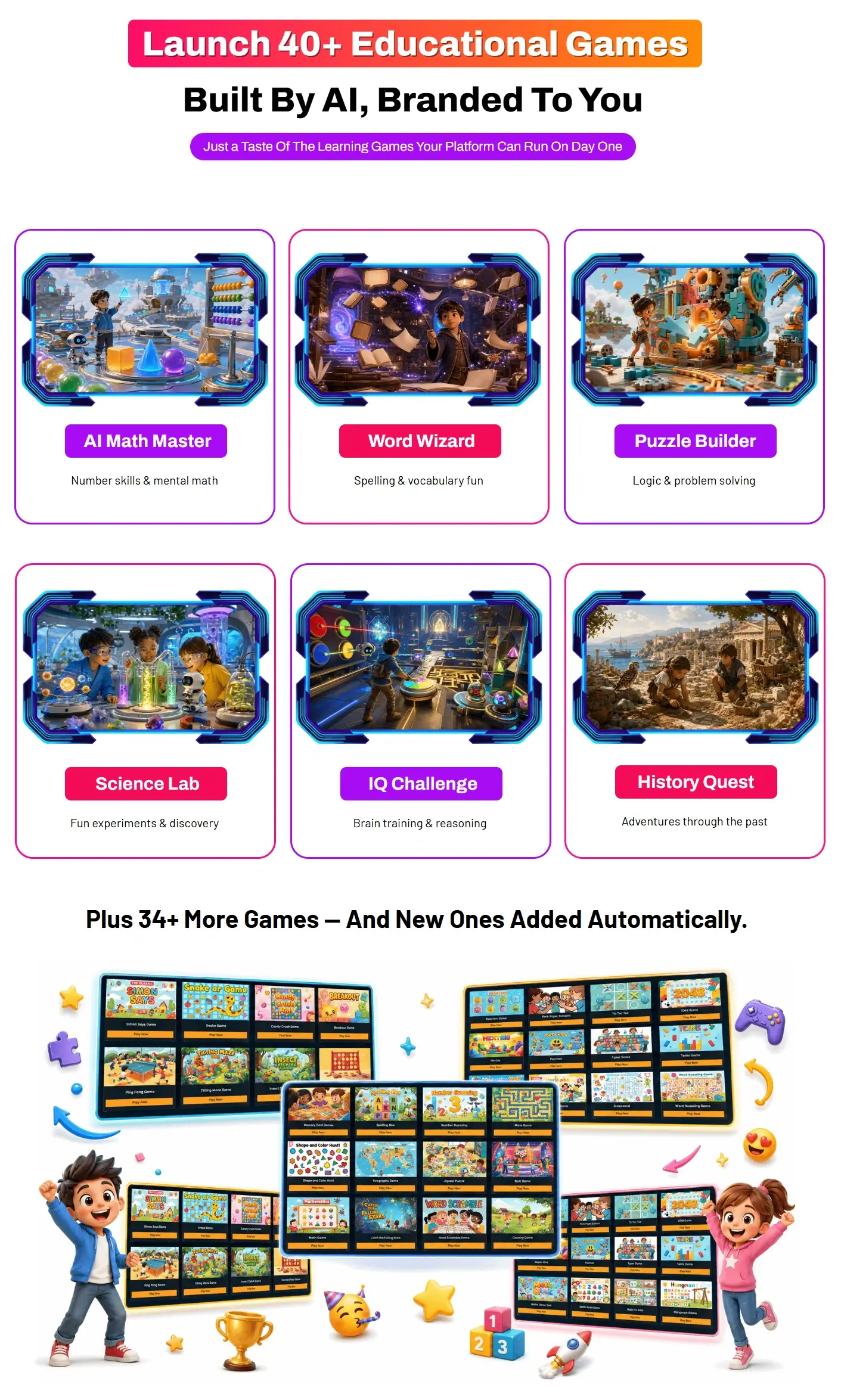
- Template variety: Quizzes, matching, drag-and-drop, and story-led mini-games.
- Safe assets: Suggests classroom-safe images and optional voice prompts.
- Simple editor: Drag to reorder, tweak difficulty, add hints, and change styles.
- Share anywhere: Publish via link; kid-friendly, mobile-ready play.
- Progress insights: See accuracy, time-on-task, and most-missed items.
- Multi-language text support: Translate prompts and content for diverse learners.
- Collaboration options: Invite co-teachers or tutors to review and edit.
- Accessibility basics: Large buttons, clear fonts, and audio cues for young learners.
What I Like
- I can build a useful game in under five minutes from a short prompt.
- No coding needed; edits are visual and fast.
- Age-appropriate language and hints save me tons of rewrite time.
- Template swapping lets me test formats without rebuilding content.
- Feedback is instant for kids, which keeps them engaged and learning.
- Share links work on tablets and laptops with no install.
- Analytics highlight weak spots so I can adjust tomorrow’s lesson.
- Visual and audio assets keep it playful but safe for classrooms.
- Onboarding tips are short and clear; I felt productive right away.
- Great fit for tutors and homeschoolers who need quick, custom practice.

What Can be improved
- More nuanced story templates would help games feel less “generic.”
- Faster high-res asset generation during busy times would be great.
- Clearer export options (CSV, LMS) on lower tiers would help power users.
Pricing And Affordability
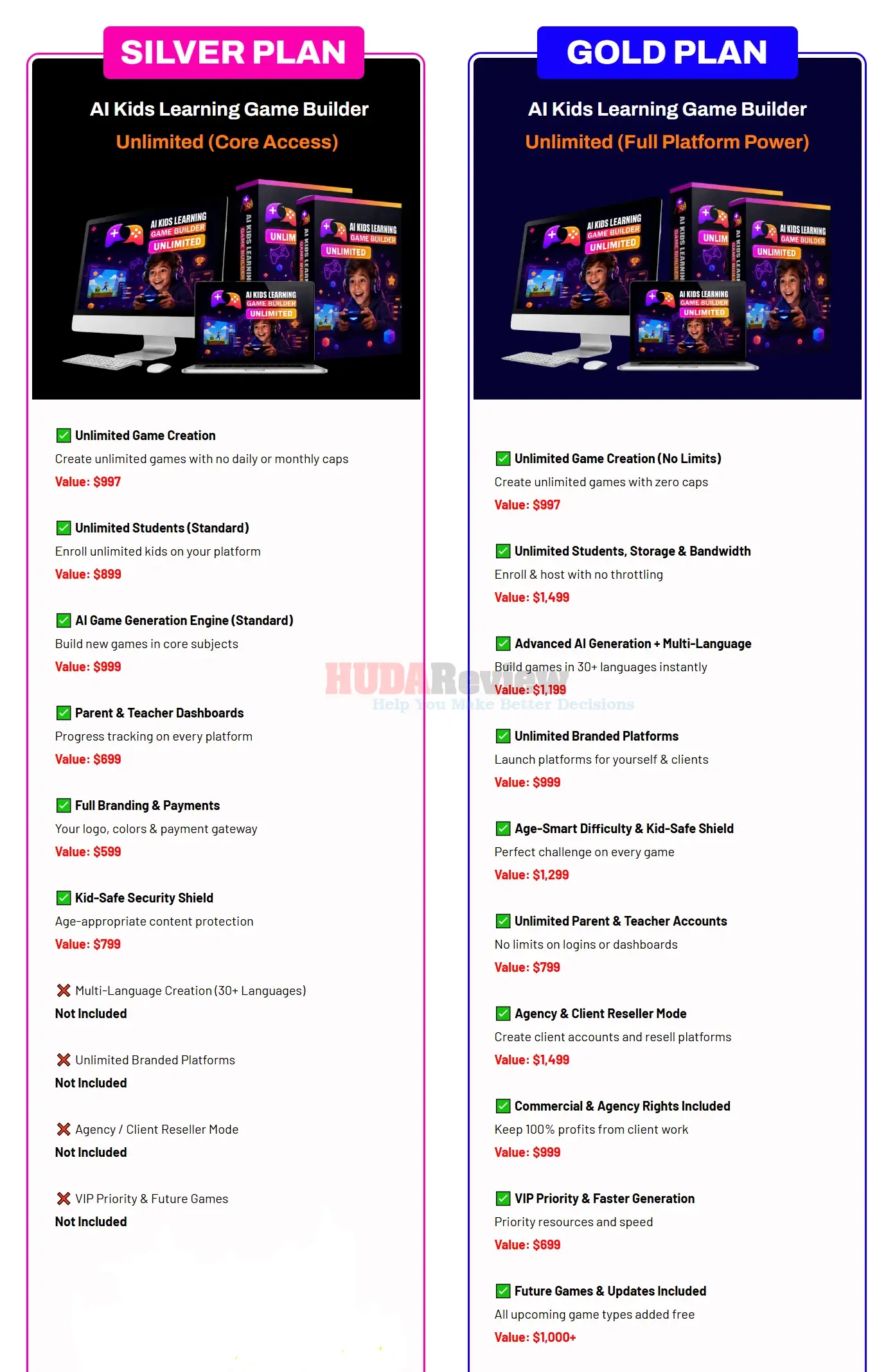
Pricing can change during promotions, but the plan structure is straightforward. Here’s what you can expect to see at checkout in this AI Kids Learning Game Builder Review:
| Plan | Best For | Key Limits | Notable Extras | Current Price |
|---|---|---|---|---|
| Starter | Individual parent or tutor | Limited projects, basic templates, basic analytics | Share via link | See live price |
| Educator | Classroom teacher | More projects, all templates, standard analytics | Priority generation, classroom groups | See live price |
| School/Team | Small schools or teams | Team seats, shared libraries | Advanced analytics, collaboration, onboarding support | See live price |
| Commercial/Agency | Agencies and edu-creators | Highest limits, brand controls | Commercial rights, advanced export, priority support | See live price |
Tip: Launch deals often bundle extra templates or credits. Click the button below to see the live price and any limited-time bonuses.

Why should you buy AI Kids Learning Game Builder
If you want faster prep and better engagement, this AI Kids Learning Game Builder Review points to clear value. The tool turns your goals into ready-to-play activities in minutes. Kids get instant feedback. You get simple analytics to guide your next step. It is ideal if you teach across ages, tutor after school, or build learning products and need speed without losing clarity. The interface is simple, the assets are safe, and the templates cover most common lesson types. If you care about more learning, less clicking, it’s an easy win.

Comparison With Competitors of AI Kids Learning Game Builder
| Product | AI Game Generation | No-Code Editing | Analytics | Curriculum Tags | Best Use Case |
|---|---|---|---|---|---|
| AI Kids Learning Game Builder | Yes | Yes | Yes | Yes | Fast, custom learning games for ages K–8+ |
| TinyTap | Limited AI (varies) | Yes | Basic | Partial | Simple educational games and activities |
| Kahoot! | No (manual setup) | Yes | Yes | No | Live quizzes and polls |
| Quizizz | No (manual setup) | Yes | Yes | No | Homework and practice quizzes |
| Scratch | No (coding) | Visual coding | Community stats | No | Learning to code; custom logic-heavy games |

FAQ Of The AI Kids Learning Game Builder Review
Does AI Kids Learning Game Builder require coding skills?
No. This platform is fully no-code. You write a short prompt and then edit with a drag-and-drop interface.
What ages or grades does it support?
You can target early learners through middle grades by choosing grade bands and skills. Adjust difficulty with sliders or by editing items.
Can I track student progress?
Yes. You can view accuracy, time spent, and most-missed items. Deeper exports may be plan-dependent.
Will games work on tablets like iPads?
Yes. Games open in a browser and are touch-friendly. Stable internet is recommended for smooth play and asset loads.
Is the content kid-safe?
The tool uses classroom-friendly language and assets. You can also review and lock content before sharing.
Conclusion
In this AI Kids Learning Game Builder Review, I found a fast, friendly way to turn lessons into games kids actually want to play. It nails the basics—speed, clarity, and simple edits—while giving you room to tweak difficulty and style. If you teach, tutor, or create learning content, it will save prep time and keep learners engaged. Add your voice for richer stories, and check higher tiers if you need deeper exports. For most classrooms and homeschools, it’s a smart, time-saving choice.